Download
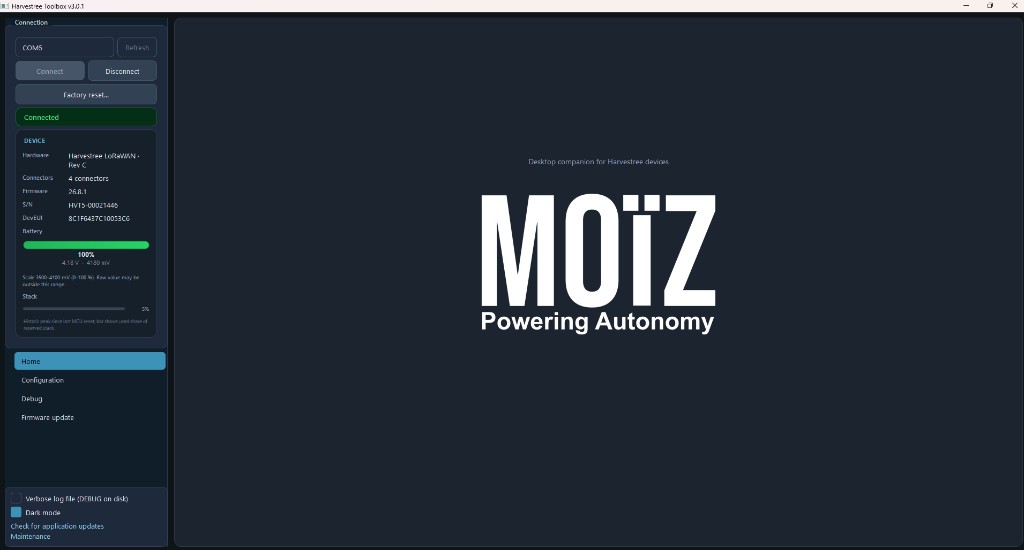
Install Harvestree Toolbox on a Windows PC with USB access to the device.
Latest installer (MSI): Download Harvestree Toolbox. The version is shown in the installer filename; use the build recommended by MOIZ or your supplier.
What is Harvestree Toolbox?
Harvestree Toolbox is the proprietary PC software compatible with the Harvestree product. It is used to work with the device over a USB connection.
Main functions
| Function | Description |
|---|---|
| Identify | Detect and identify the connected device (e.g. version, serial, identifiers). |
| Diagnose | Run diagnostics and check device status and configuration. |
| Configure | Full local configuration (mode, period, network keys, alarms, ports, calibration) — see Configuration. |
| Calibrate | Perform calibration of measurement ports — see Measurement ports and the Measurements technical reference. |
| Field expertise | Support field analysis and verification of measurements. |
| Firmware update | Update the application firmware on the device — see Firmware update (Toolbox). |
Use Harvestree Toolbox for guided identification, diagnostics, and step-by-step configuration. For remote changes after deployment, see Configuration and LoRaWAN remote configuration. For compatible probes and accessories, see the Catalog.